如何删除主题
本文由英文机器翻译。 当前显示英文原文。
You can delete a whole topic from your presentation, including all its history.
Delete the whole topic
To delete the whole topic from your presentation, click the Settings button in the upper left corner above your topic and choose Delete this topic from the submenu.
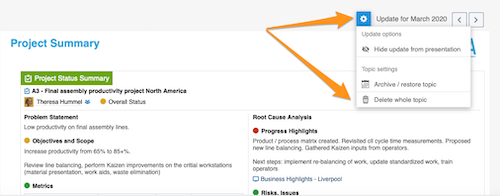
Please note: if you delete the whole topic, all the previous history of this topic is deleted too!
To learn how to archive a topic or hide it from your presentation, see How to archive or hide a topic.
To learn how to delete only an update, see How to delete a topic’s content.
还需要帮助吗?
请给我们留言。工作日我们通常会在一小时内回复。