Cómo crear un informe
Traducción automática del inglés. Se muestra el original en inglés.
The Reports module can completely replace PowerPoint presentations in your standard reporting. All your reported data are in one place and traceable in history.
TeamGuru lets you add live data directly from the system, e.g. metric charts or statistics from your 8D reports.
Create the report
-
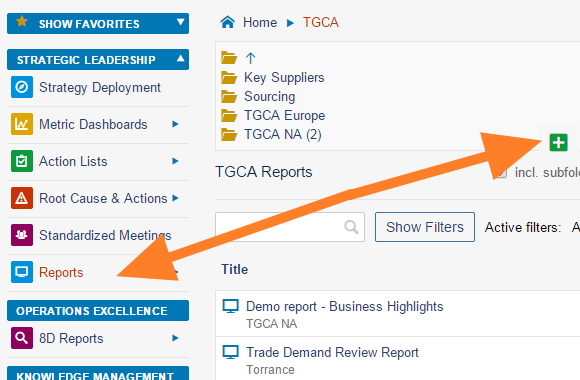
Create a new document. Go to the Reports module and click the Add icon to create a new document.
-
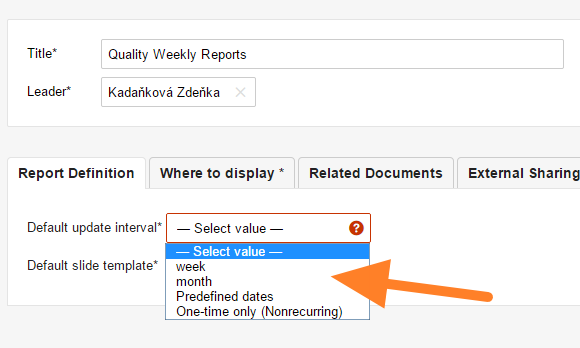
Fill in the basic settings. Enter the report name and the responsible person, and select the Default update interval.
-
Select the slide template. Select the default slide template for your report (see How to create a new report template) and save the document.
-
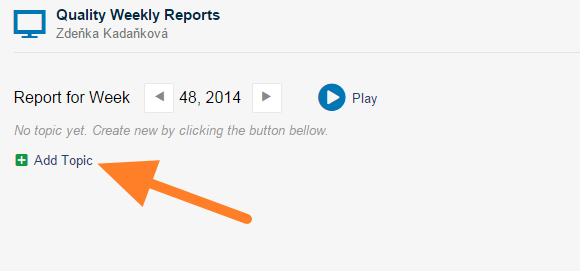
Add a slide. Click the Add Topic button to add a new slide.
-
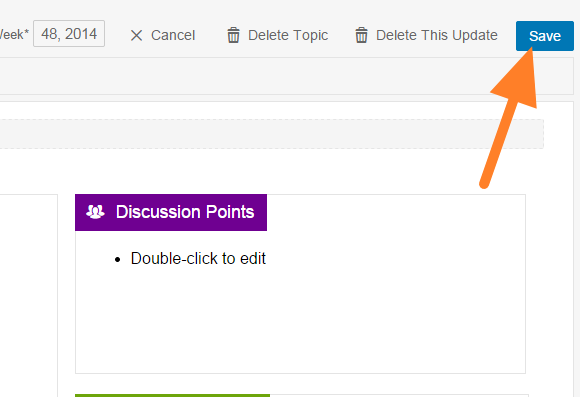
Fill in the report. Fill in your report and save it. Tips: add 8D Reports statistics, add a metric chart, add a picture.
-
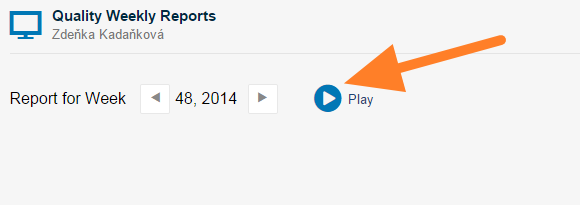
Present the report. Click the Play button to get a full-screen view for your presentation.
You may also be interested in: How to update your report
Video guide
Watch how to create a new report
El módulo Informes puede reemplazar por completo las presentaciones de PowerPoint en sus informes periódicos. Todos los datos reportados están en un solo lugar y su historial queda registrado.
TeamGuru le permite agregar datos en vivo directamente desde el sistema, por ejemplo gráficos de métricas o estadísticas de sus informes 8D.
Crear el informe
-
Cree un documento. Abra el módulo Informes y haga clic en el icono Agregar para crear un documento.
-
Complete la configuración básica. Escriba el nombre del informe y el responsable, y seleccione el Intervalo de actualización predeterminado.
-
Seleccione la plantilla de diapositiva. Seleccione la plantilla de diapositiva predeterminada del informe (consulte Cómo crear una plantilla de informe) y guarde el documento.
-
Agregue una diapositiva. Haga clic en el botón Agregar tema para agregar una diapositiva.
-
Complete el informe. Complete el informe y guárdelo. Consejos: agregar estadísticas de Informes 8D, agregar un gráfico de métrica, agregar una imagen.
-
Presente el informe. Haga clic en el botón Reproducir para ver el informe en pantalla completa durante la presentación.
También le puede interesar: Cómo actualizar el informe
Video
Vea cómo crear un informe
¿Necesita más ayuda?
Escríbanos. En días laborables solemos responder en menos de una hora.